Tags: Graphics Engine Architecture, Procedural Modeling, Renderer vs Modeler, C++, OpenGL ES 3.2, Low-Level Graphics, 3D Demos Well, it’s a big topic. I’d even say HUGE. Here we’ll need to decide how to build and render our scene/models, where we’ll get our 3D models from, how we’ll load, unpack and control them, which and how […]
About: BK
- Website
- https://writingagame.com
Posts by BK:
Chapter 7. External files, Android assets
Tags: Android NDK, Asset Manager, JNI, File I/O, Gradle, APK Timestamp, Cross-Platform Consistency The idea is the same as in previous chapter – to place the data files within the reach of the executable. However, in Android’s case we are dealing NOT with the “executable”, but with APK. Besides, we have to deliver data files […]
Chapter 6. External files, Windows
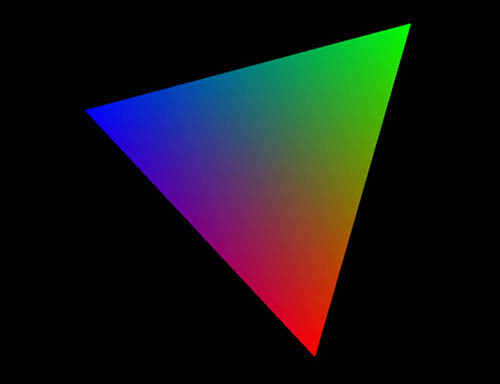
Tags: Visual Studio, File I/O, Resource Management, Win32 API, Build Events, C++, Data-Driven Design Now, having a cross-platform solution, we can start thinking about our Graphics Engine. However, the first question will be not about graphics, but how we gonna handle data files (like shaders, models, textures and so on)? For example, currently our triangle […]
Chapter 5. Hello Cross-platform!!
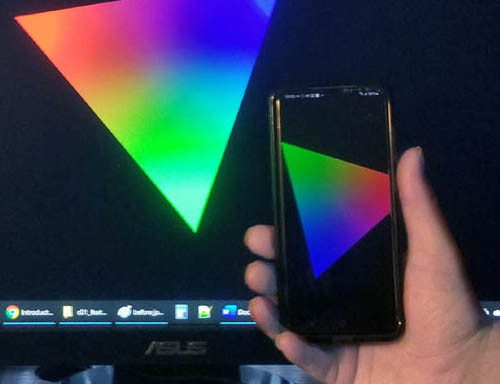
Tags: Cross-Platform, Android NDK, CMake, OpenGL ES 3.2, C++ Core, Mobile & Desktop, Software Architecture Now we will try to run TheApp spinning triangle sample on Android. For this we’ll need: Didn’t find how to add classes/files outside of cpp folder in Android Studio, so let’s do it manually. 1. In Windows File Explorer create […]
OpenGL: Where is the front, where is the back?
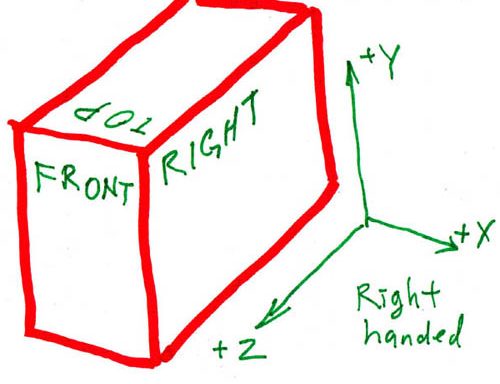
Tags: OpenGL, OpenGL ES 3.2, 3D Graphics, Coordinate Systems, Right-Handed System, Geometry, Game Engine Development, C++ For 3D modeling, this is actually a non-trivial question. When we talk about humans, our natural assumption is that “right” is relative to the back, not the front. For example, what is to the right of your face is […]
Chapter 4. Platform independence
Tags: Software Architecture, C++ Classes, Cross-Platform Design, Code Decoupling, Platform Abstraction, Reusable Core In the previous 2 chapters, we have successfully “married” Android and C++, Windows and OpenGL ES. Now, having 2 C++/GLES projects for 2 different platforms, let’s see what is common and what is not. The difference actually looks frightening, seems like nothing […]
GitHub
How to download repository from GitHub 1. Open provided GitHub repository link, for example (like in chapter 3) https://github.com/bkantemir/_wg_403 2. Click green button “Code”. 3. I usually use “Download ZIP”. 4. When downloaded, go to your Downloads folder and unpack downloaded zip file to your hard drive (usually C:). 5. Since in my case all […]
Chapter 3. Hello Windows
Tags: Visual Studio, OpenGL ES 3.2 on Desktop, GLFW, GLAD, Win32, C++, Cross-Platform Foundation Using OpenGL ES on the PC is less straight forward than on Android. The reason is that GL ES is intended for mobile devices, NOT for desktops. Fortunately, solutions exist. OpenGL producers strongly advise to use a window toolkit (GLFW) and […]
Chapter 2. Hello Android
Tags: Android Studio, NDK, GameActivity, C++, OpenGL ES 3.2, EGL, Native Programming Default Android languages are Java and Kotlin. In order to use C++ we’ll need so called NativeActivity. Start Android Studio. Pick New Project. Scroll down, select Game Activity (C++) which is a direct descendant of NativeActivity and shares a similar architecture. It’s a […]
Chapter 1. Setting up the workspace
Tags: Visual Studio, Android Studio, project basic structure First step is to prepare a placeholder for our project. *VERY IMPORTANT part missing from most guides is how to organize your folders. So, first – root folder, where we’ll keep all our projects plus all reusable stuff, such as graphics engine, etc. I’ll call it “CPP” (for […]