Tags: Android Studio, NDK, GameActivity, C++, OpenGL ES 3.2, EGL, Native Programming Default Android languages are Java and Kotlin. In order to use C++ we’ll need so called NativeActivity. Start Android Studio. Pick New Project. Scroll down, select Game Activity (C++) which is a direct descendant of NativeActivity and shares a similar architecture. It’s a […]

About: BK
- Website
- https://writingagame.com
Posts by BK:
Chapter 1. Setting up the workspace
Visual Studio, Android Studio, project basic structure First step is to prepare a placeholder for our project. *VERY IMPORTANT part missing from most guides is how to organize your folders. So, first – root folder, where we’ll keep all our projects plus all reusable stuff, such as graphics engine, etc. I’ll call it “CPP” (for C++). […]
Introduction – What is it all about
Tags: GameDev, 3D Engine, Cross-Platform, C++, OpenGL ES 3.2, Low-Level Programming, Software Foundation This blog has evolved into a practical, step-by-step guide on writing a cross-platform 3D app (game) from scratch. Writing own game is my old dream. Now, I finally know how to do it right. Have a few ideas in mind what it […]
Chapter 42.2 Great Gatsby’s car demo
DOWNLOAD DEMO (Windows) With such handy modeling toolkit, just couldn’t resist the temptation to draw Great Gatsby’s car. Fans of Elegance Age, Art Deco and Steampunk will understand. Had to expand the functionality of ModelLoader and ModelBuilder a little, and here is the result: It’s 1929 Duesenberg J Sport Phaeton (just in case). Or in […]
Chapter 42. Models variability (with GitHub)
Ok, time for a new GitHub repo. The topic of this chapter is Models variability. Of course, 1 single car model isn’t enough for the Project. We’ll need more. At least – in different colors. Creating a set of practically identical models with just different colors looks kind of wasteful. Instead, we can randomly customize […]
Memory leaks detection
Suddenly noticed that while running, memory consumption is slowly but steadily creeping up: which can only mean one thing: Well, then we need to find (detect) and fix it (or them). Some sort of memory leak detection tool would help. Visual Studio offers it’s own set of “CRT debug heap functions”. However, I was unable […]
Chapter 40. Shadows (with GitHub)
Another (maybe the most) critical component of a realistic image is SHADOWS. The common approach is “shadow mapping“. The algorithm consists of two passes. First, the scene is rendered from the point of view of the light source. Only the depth of each fragment/pixel is calculated. The scene is then rendered as usual, but with […]
Chapter 39. Complex shapes (with GitHub)
Next step is to replace these square models by something more actual. For example, by this: I picked specifically this model for it’s challengingly curved shapes. Just in case, this is 1935 Duesenberg SSJ Speedster, 1:64 scale model. In order to implement that, we’ll need to extend our ModelBuilder and ModelLoader functionality. Also we’ll need […]
Chapter 38. Hierarchical models
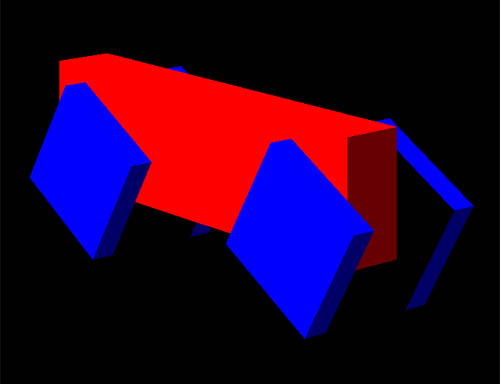
Now we are ready for more complex models, consisting of several elements with individual behavior. For example – car, where body will be a parent (root) element, and wheels – child elements. For both, body and wheel, we’ll need separate model descriptors and separate classes, which will handle their behaviors. 1. In Windows File Explorer […]
Chapter 37.2. GitHub
Just to make sure that we are on the same page, let’s synchronize our environments. You can download full current Project repository from https://github.com/bkantemir/_wg37 Windows solution, x86: _wg37-main\a997modeler\p_windows\p_windows.sln Android solution, ARM64: _wg37-main\a997modeler\p_android\p_android.sln Important changes here: In order to untie the project from C:\CPP, all paths in projects properties were converted to relative form. Like ..\..\engine […]